Monitoring Hosts and Domains for RBL Listing Using Azure - Part 2: Deployment

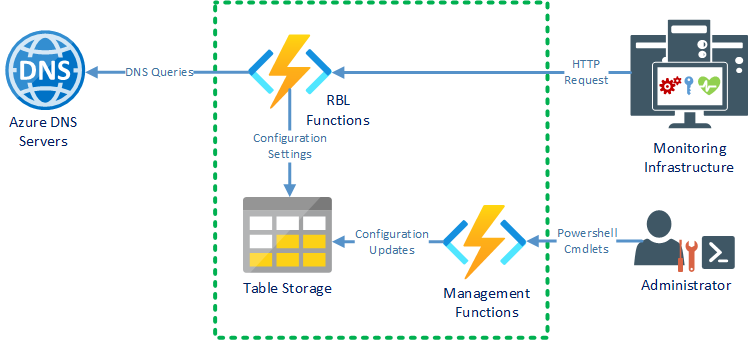
In the previous post of the series ( here ), we went through the design of a solution to help monitor host and domain listing in RBLs. In this article, we'll go through the process of deploying and configuring the required resources on Azure. To deploy the solution to your Azure subscription, you have to perform two tasks: Deploy the Azure resources, that is the Storage Account and a Function App Deploy the Azure Function App application code To deploy the Azure resources, you have to submit an ARM deployment task using the ARM template file saved in the repository ( here ). There are two ways to create a deployment using this file: Deploy to Azure button The main repository page contains a button that opens the Azure portal and prompts for parameters for the deployment: Leaving the default values will result in a deployment in the same location as the resource group and randomized resource names. ARM File Deployment The other way to deploy an ARM file is to use the Azure Powers...