Get the filesystem hierarchy using PowerShell
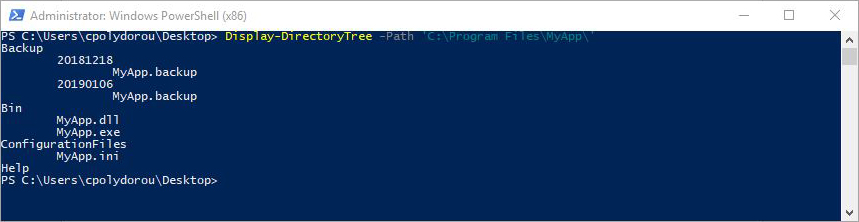
When working with command prompts - especially on systems without a graphical user interface, getting a view of the filesystem structure under a directory can be an issue. We usually have to get the files in the directory and then recursively process all it's subdirectories. When it comes to PowerShell, I've created a simple function to do exactly that. To demonstrate the usage of the cmdlet, I have created a test application under "C:\Program Files\MyApp". To get a quick look at the directory structure of the application we just have to execute: Display-DirectoryTree -Path 'C:\Program Files\MyApp\' Each level is indented in order to provide the level feel. To display the type of each object, use the -IncludeType parameter. This will prefix each object with a "D" for a directory or an "F" for a file: By default, the tab character is used in the indentation of each level in the hierarchy. You can select the string using ...