Posts

Showing posts with the label Custom

Upload your image on Azure Container Registry
Image
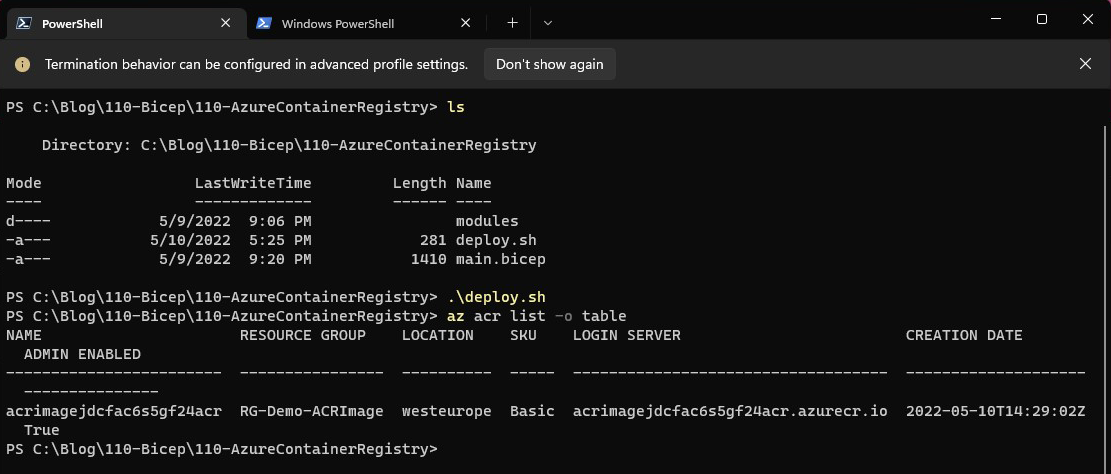
In my previous article , we went through the process of uploading our own image to Docker Hub. Even though it's perfectly fine to use Docker Hub, some organizations prefer using their own registries, either due to additional functionality that they might offer or due to policies and regulations. Since Azure offers a container registry resource that would fit most use cases, I thought we could try to upload some images and at least use it for test and dev purposes!  First things first, the tools we're going to need. To upload an image to an ACR we need: 1. An Azure Container Registry 2. Docker Desktop 3. Azure CLI Starting from the top of the list, we need the ACR resource to which we're going to upload the images. Clone my Github bicep repository and switch to the  ContainerRegistry-ImageUpload-001/110-Bicep/110-AzureContainerRegistry/ folder. Update the parameters in the deploy script and submit the deployment. The output should be similar to the below: If everything goe...

Upload your own image on Docker Hub

Image
One of the very first steps in the containerization process of a service or application is constructing the image that is going to be used for every component. A component may require a plain image that is just an Apache server, but in the majority of the cases, you'll have to add packages or apply configurations to the images already provided in Docker Hub. This will result in creating your own images that you may eventually share on Docker Hub.     In this post, we're going to follow the process of creating our own image and then publishing it. First, we need to decide the image on top of which we're going to build our own. To make this call, you need to know what services and applications are going to be running on your container. Take WordPress for example. You can start with the official image, one of the very popular Bitnami images, or with just a PHP-FPM image. In this example, we're going to build on top of the PHP Apache image and save all of our files in a dir...

Event Log Custom Sources

There are many times where we have to write events on the event log in order to log what a script or program is doing, like an automation scrip for example. We want to be able to find out if a script run or not and where the problem was, if any. I usually create a separate event source on the application log for that purpose, in order to be able to filter the events and not get lost in the application log. Before adding the logging functionality to your script. lets see a couple of commands that are going to be very helpful. First. lets see how we can create a new source. New-EventLog -LogName Application -Source "MyScript" This command will create the source named "MyScript" in the application log. Another command that may come in handy is: [System.Diagnostics.EventLog] :: SourceExists( "MyScript" ) This command will return true if there is a source named "MyScript" on the application log. I've been using this command w...

Verbose Parameter Passing to cmdlet inside Function

Well, almost all powershell cmdlets, functions and workflows have a Verbose parameter that displays more information about what the command is doing during it's execution. But how are we going to take advantage of this parameter when building our own functions and scripts? First of all, we have to include the "cmdletBinding()] statement. This will add the -Verbose switch to the function/script and when we call the function with that script the output from the command "Write-Verbose" will be displayed. Take the following function for example: 1 2 3 4 5 6 7 8 9 10 11 12 13 14 Function Test { [ cmdletBinding ()] Param ( ) Write-Verbose "Started" Start-Sleep -Seconds 5 Write-Verbose "Completed." } All it does is sleep for five seconds. If we call it without the -Verbose switch it will display nothing. With the -Verbose switch it will display the "Started" message before sleeping a...