Posts

Showing posts with the label BIcep

Creating Unique Names for Resources in Bicep
Image
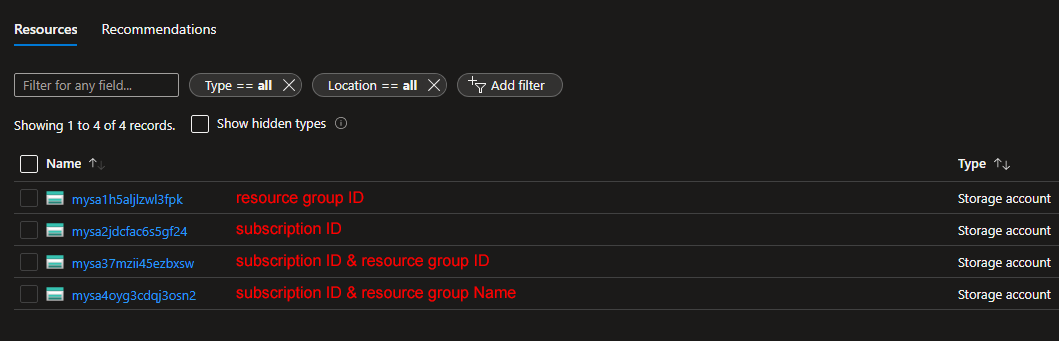
When creating resources on Azure, there are times that the deployment fails due to the name selected for the resource. This is primarily due to the fact that there are some resources that are available as services and exposed to the internet, thus their name should be unique across deployments.  Take a storage account for example. The name should not only be unique but also in lowercase and under 25 characters! A virtual machine, on the other hand, does not require a unique name (at a global level). How do we tackle such requirements? The Bicep uniqueString function is here to help. This particular function takes a number of string parameters and creates a unique string. Combined with scope functions like subscription and resourceGroup , you may generate strings unique to your environment. Other string functions like toLower  and substring  can be used to make your code even more robust. Let's dive into some examples! The below code is part of a bicep file that deploys ...

Protecting AppService using Front Door

Image
Starting with the fact that every web application should be protected by a Web Application Firewall (WAF) and accelerated using a Content Delivery Network (CDN), combined with the simplicity of the deployment of the Azure Front Door service, gives you no excuses for not protecting your apps! In this blog post, we're going to deploy an AppService and protect it using Azure Front Door. For the purposes of this demo, we're going to use the NodeJS - RequestInformation app that is available in my Github repo over  here . This application provides information on the platform and incoming requests that is going to be very handy later on. To deploy the demo resources, you just have to clone this repository, change to the  FrontDoor-AppServiceBackend-001/101-Bicep-Templates/900-IaC-FullDeployment-001 directory, and execute the deploy.sh script. The script will create a subscription-level deployment that will deploy an AppService (including the plan) and an Azure Front Door. Make su...

Using Loops in Bicep

Image
I've been using Azure to test virtual machines and applications for quite a few years now and I've realized that although I mostly use two or three solution templates - like an Active Directory environment for example - in the majority of the cases I need more server or client machines. This is the main reason I decided to adjust my deployments and include loops so that I can control the number of machines using parameters and variables. In this post, I'll describe how I've used loops and hopefully how you can benefit from them. I'm a big fan of organizing resources in modules, so all of the examples will be based on a deployment of virtual networks and virtual machines from a main bicep file using the respective modules, one for each resource type. Multiple Resources/Modules Since we're talking about modules, what could be better than having the ability to deploy the same module multiple times! The first thing we need is a variable that will hold the custom fie...

Citrix ADC Deployment using Bicep

Image
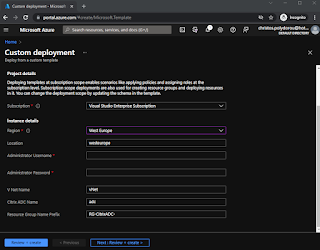
Citrix ADC (formerly NetSceler) is, without doubt, one of the top enterprise Application Delivery Controllers on the market and the preferred solution for many organizations. It is offered in many different form factors, from physical to virtual appliances and even containers. Citrix ADC is also available on Azure, which makes it ideal not only for experimenting and getting to know it better but also for using it to publish applications and services. I've created a bicep template to serve as a starting point so that you can easily create an instance and get to know the resources required. The main template creates a subscription-level deployment that separates the resources into different resource groups. The resources to be deployed include: virtual network network security group network card public IP virtual machine Going through the bicep files, we have a main template file ( main.bicep ) that uses two separate modules to deploy the vNet ( vnet.bicep ) and the ADC ( adc.bic...

How to deploy Bicep templates using Azure DevOps Pipelines

Image
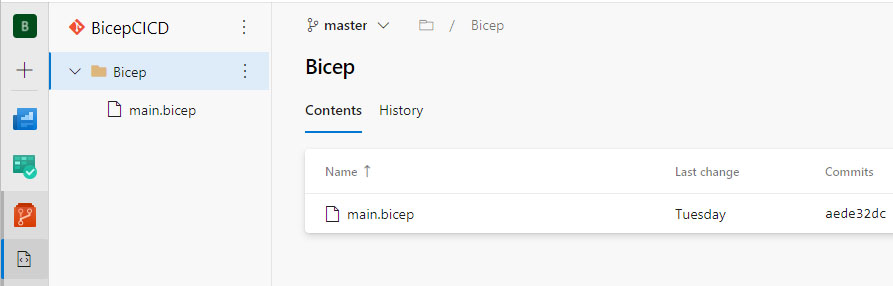
In this article, I'm going to walk you through submitting Azure Deployments using Bicep files from Azure DevOps. Unfortunately, up until now, there is no official task for this need, so we are going to use Azure CLI instead. We'll start with creating a new pipeline, so open your project in Azure DevOps, switch to the Pipelines view, and hit the new pipeline button. We're going to use the classic edition for this demo, so go for the Use the classic editor option at the bottom. The first step of a build pipeline is to select the source that contains your code. For this, I've created a Git repository in the same project that contains a bicep file and looks like this: By default, the source repository is going to be set to Azure DevOps, which is fine for our case: Moving on to the next step, we're presented with some template options for the pipeline. We'll start with an empty pipeline that we'll build ourselves so click the Empty Job option. The next screen i...

Deploy Bicep/ARM using Containers

Image
Developing using containers offers the ability to use different environments and software without having to install them on your development workstation, while at the same time you conserve a lot of system resources avoiding the use of virtual machines. Visual Studio Code has been receiving a lot of functionality towards that end with a great deal of extensions and part of that is targeting Azure template developement.  We can use VS Code to develop our code and then use a container with all the Azure tools to deploy. This post describes this very process, from docker installation to VS Code configuration and finally template deployment.  First we need to install all the necessary components on our system. This includes Docker Desktop, Visual Studio Code and a patch for the linux kernel of Windows Subsystem for Linux (WSL 2). You can find Docker Desktop on the official Docker page here  and VS Code on its page over here . The Docker installation wizard will add any requir...