Posts

Showing posts with the label Archive

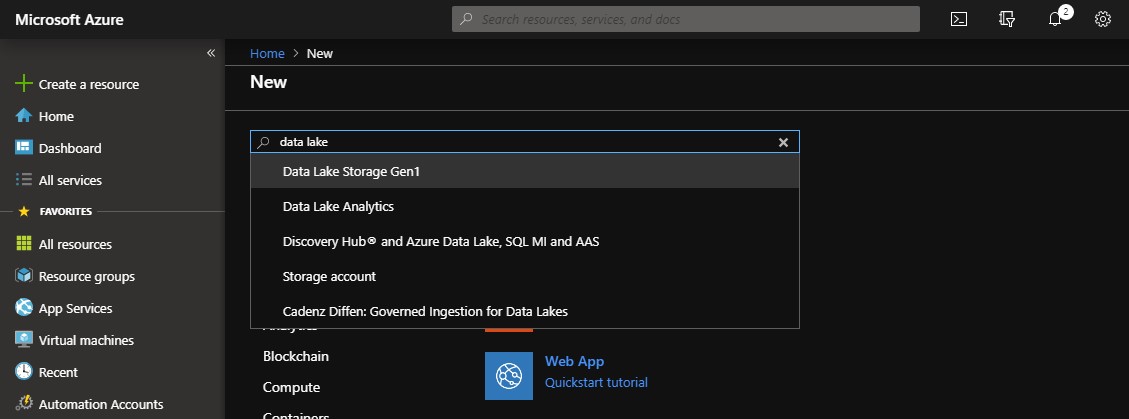
Using Azure Data Lake to Archive, Audit and Analyse Log Files
Image
When operating relatively big and complex environments, the ability to have all the operational information available as quick as possible is one of the key factors that protect you from downtime and breached SLAs and allow you to have a full view on the environment to act proactively. There are many cloud and on premises solutions that can be of assistance but there are some cases that require a more customized approach. Don't get me wrong, Azure OMS and other solutions like it are great for maintaining the control and reporting on your services. However, there are some organizations with needs that cannot be covered by OMS, such as really long retention periods, log file formats that cannot be directly parsed, etc. So what we need is a place to store the files and a very fast way to query them. This is where Azure Data Lake comes into play. Uploading your log files to Azure Data Lake or directly feeding the Data Lake using Azure Stream Analytics will give you the ability...

LogArchiving script: Updates on version 1.0.6

Hello fellow administrators, The latest version of my LogArchiving script (1.0.6) that has just been published contains a new feature where the result of the each task can be embedded in the subject of the email report. This is very helpful in case you have lots of servers and you need to check the result with a quick look or a rule on the messages. A new property named "EmailSubjectResult" has been added to each task in the configuration file. This can be either "append", "prepend" or empty. Using "append" will add the result of the task to the end of subject, "prepend" will add the result to the begginng of the subject whilst leaving this field empty will not alter the subject of the message at all. Please note that if you decide to update your scripts to this version, you need to update the configuration files as well!!! Also, do not solely rely on the messages for monitoring your tasks. The script also writes to the appl...

CPolydorou.7Z Powershell Module

Yet another of my PowerShell modules has been published on the Powershell Gallery. This time it's the CPolydorou.7Z module. This module contains functions to create, extract, test and update and archive along with a function to list it's contents. The supported files are 7z, BZip2, Exe, GZip, Tar and Zip. Let's take a quick look at the functions! New-7ZFile Create a archive from a file or folder and save it to the specified location. You can create an encrypted file, adjust the thread used for the compression and split the archive into multiple files. Get-7ZFile List the contents of an archive. Extract-7ZFile Extract the contents of an archive file to a specified folder. Test-7ZFile Test the integrity of an archive file. Update-7ZFile Update an archive file by adding new items or removing existing ones. Have fun!