Posts

Configuring Virtual Machines using Azure Automation DSC

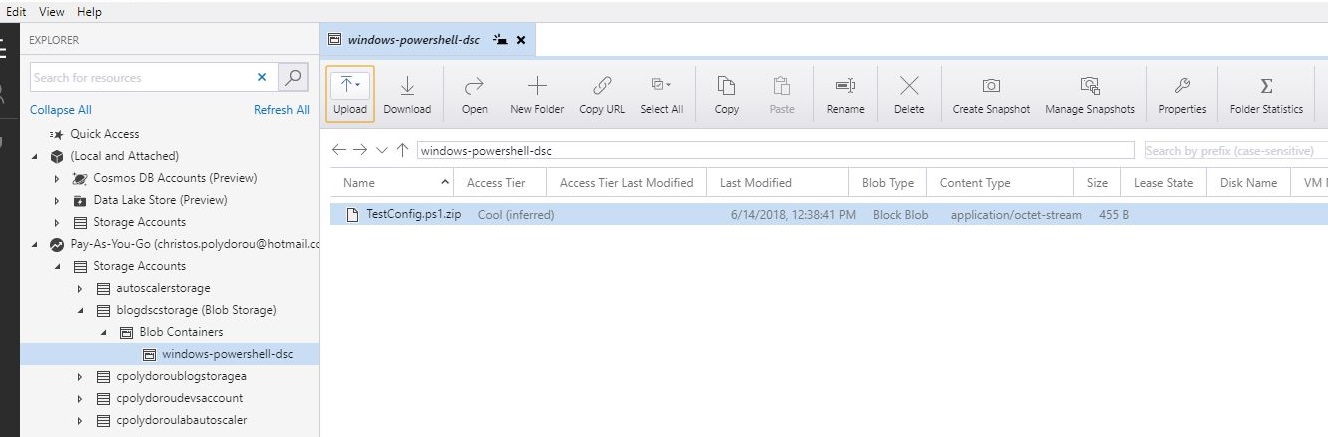
A few days ago, I published an article on how to apply a DSC configuration on an Azure Virtual machine. Although there's nothing wrong with publishing a configuration on an Azure Storage Account and having the machines apply it, there's a better way. Azure offers a service called Automation Accounts, that among  other things, let's you publish configurations, register nodes in order to apply them and report on the node status. Let's see how to get it working! We are going to need and Azure Automation Account to host the configurations, so let's create one: PS C:\> New-AzureRmAutomationAccount -ResourceGroupName "Blog-DSC" `                                      -Name "BlogDSCAutomationAccount" `                                      -Plan Free `           ...
Monitoring Microsoft SQL using OMS

Image
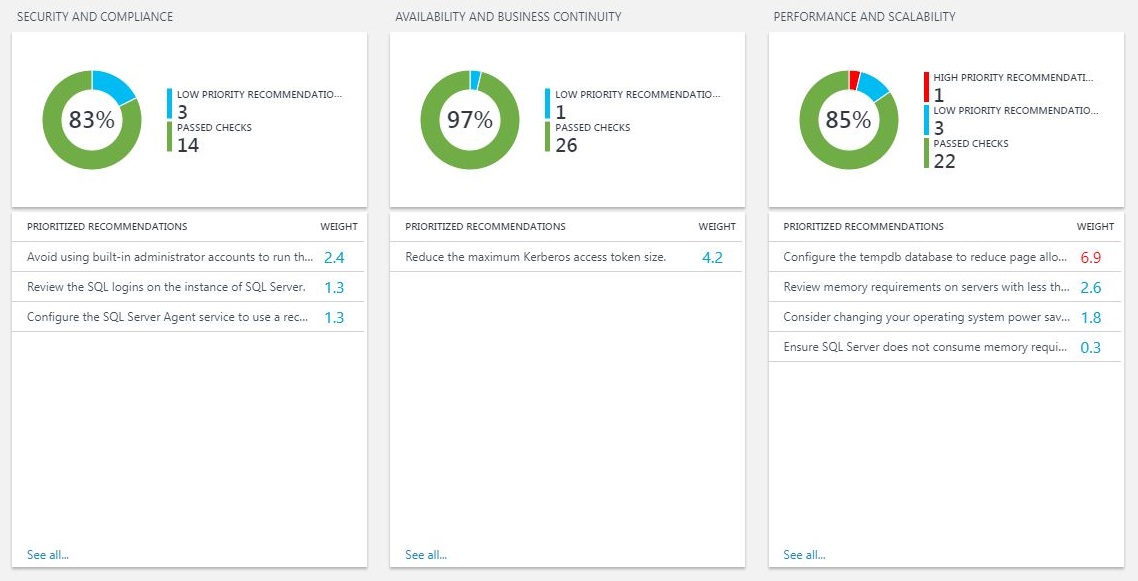
Moving on to the next article about Microsoft Operations Manager Suite, we're going to take a look on a solution for Microsoft SQL servers. The SQL Health Check solution will provide useful information about the status of your SQL servers regarding security, compliance, availability, performance and many other aspects. As you may see below, I have a lot of recommendations for my lab servers, including the accounts used by the SQL services, the performance of the tempdb and even the power settings on the servers! Two of the below stand out, the suggestion to check the logins on the servers - since they are members of an availability group and missing logins can cause application downtime and the suggestion to limit the memory of the SQL server in order to avoid consuming memory needed by the operating system. The solution also provides information about the upgrade and migration status, change management and operations and monitoring. Here, I'm warned that R...

Assessing Security using OMS

Image
Having all this information such as application and security logs, installed updates and anti malware status on OMS, gives you the perfect opportunity to assess the security status of your organization and reduce your risk surface. Fortunately, you don't have to write the queries yourself - although you could - since solutions that can produce security reports are just a few clicks away. The "Security and Audit" solution performs multiple checks regarding update and anti malware status, applied security settings and even failed logon attempts. Below is a sample of the report: The "Antimalware Assessment" solution is all about the health of your machines. It provides status reports, the threats that have been detected and the unprotected machines. The above solutions, when combined, provide a full and detailed view on your organization's security status and give you the ability to tighten your overall security and discover trends and issues. ...

Configuring Azure VMs using Desired State Configuration

Image
Lately I've been working on a project to automate the provisioning of virtual machines on Azure using Azure Resource Manager. The need to apply configuration on the OS level came up and the proffered way was Desired State Configuration. On this article, we are going to publish a configuration and configure a virtual machine to apply it. First we are going to log in and select the subscription that we are going to use: PS C:\>Login-AzureRmAccount Account          : c******s.p******ou@******* SubscriptionName : Pay-As-You-Go SubscriptionId   : e******a-8**c-4**3-9**7-b**********9 TenantId         : 5******f-d**2-4**4-a**e-7**********7 Environment      : AzureCloud PS C:\>Get-AzureRmSubscription |            Out-GridView -PassThru -Title "Select the subscription to use" |                Select-AzureRmSubscription Name ...

Monitoring Active Directory Health using OMS

Image
Following the last OMS article about the update management solution, I would like to show you two more, this time about Active Directory. The Active Directory Health Check solution provides information on many aspects of your Active Directory environment such as Security, Compliance, Business Continuity and Performance. Each group performs a number of checks against the logs, to find possible issues. Good news, apart from the backup issue, my AD is looking great!!! The second solution I'm using for Active Directory is AD Replication Status. It examines the domain controller logs and provides useful insights on the health of the replication of your Active Directory environment. I've left the DC4 domain controller on my lab disconnected from the network on purpose in order to create replication issues. Replication between DC3 and DC4 is broken, since the servers hadn't communicated for a while. Those two solutions can save you from a lot...

Update Management using OMS

Image
Writing your own queries for OMS is great, it gives you the flexibility to get the data in the exact form you want it and full control over the data to return, not to mention the ability to create an alert using the very same query.  There are however solutions that can be added to your workspace that already have logic and display reports in form of charts or lists. Adding a solution is a matter of seconds, although may of them require and automation account (that's pretty straight forward, don't worry!). You just have to browse the solution gallery from the OMS portal and hit the add button. The first solution I've added to my workspace was Update Management. This solution provides statistics about the update status of your Windows and Linux computers. The first two charts display information about the Windows and Linux computers that have been assessed: The information here is scoped to the computer level as opposed to the next two that show statisti...

Generating Alerts On OMS

Image
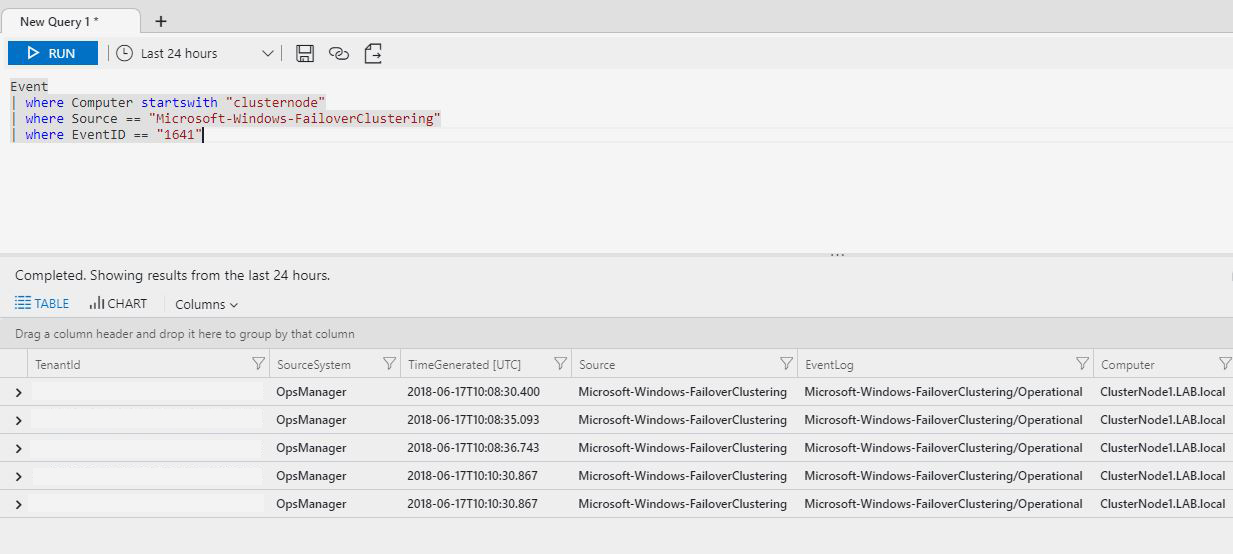
On the previous articles about Microsoft OMS, we've configured event and log collection from various systems and we've queried the workspace for information. We have the information, wouldn't it be great if we could also act on it? The Operations Management Suite has a feature named "Alerts" that provides this functionality. Creating alerts is a straight forward and only takes a few minutes. To illustrate the process, we are going to configure an alert for a Windows Server Failover Cluster that hosts the File Server role. When a cluster resource is moving to another node of the cluster, an event with id 1641 is generated under the source "FaileoverClustering" of the log "Microsoft-Windows-FailoverClustering/Operational". To create the alert, we are going to need a query that returns the above events: Let's create the alert. From the main OMS blade, select "Alerts" and then "Create New Rule": This will bri...